
Your Guide to a Free Interval Timer App for Better Workouts
I get it. You’ve definitely tried using your phone's built-in stopwatch for a workout. You finish a gut-wrenching set, gasp for air, and then spend half your rest period fumbling with the screen just to reset it for the next round. It’s clunky, distracting, and just not built for the job.
A good free interval timer app is the single best upgrade you can make to your training. It turns your phone from a simple clock into a dedicated tool that handles all the timing, so you can just focus on the work.
Your Stopwatch Is Sabotaging Your Workout
Let's be real—the standard clock app is great for timing a pizza, but it’s terrible for a high-intensity workout. Training for anything serious, whether it’s CrossFit, boxing, or running, is all about precision. The magic is in the work-to-rest ratio, and that's exactly where a generic timer falls apart.
Trying to manually hit "stop" and "start" while your heart is pounding out of your chest is a recipe for sloppy timing. You either shave off precious seconds of recovery or cut your work interval short, messing up the entire stimulus of the workout. That little bit of mental energy you spend watching the clock is energy you should be putting into your form and effort.
Why a Dedicated Timer Changes Everything
A purpose-built free interval timer app is designed by people who actually train. They know what you need when you're in the thick of it.
Here’s what makes them so much better:
- Audio Cues You Can Actually Hear: Forget the gentle little ding from your phone's timer. A proper interval app uses sharp, distinct beeps or even a boxing bell that cuts right through your music and the gym's noise. You’ll never have to second-guess when to go or when to stop.
- A Screen You Can See from Across the Room: When you’re dripping sweat and your vision is a little blurry, you need big, bold, high-contrast numbers. You can't get that from a tiny stopwatch display.
- Presets You Can Launch in One Tap: This is the real game-changer. Saving your go-to workouts—like a classic Tabata, a complex EMOM, or your favorite 5-round circuit—means you can start your session instantly. No more punching in numbers every single day.
The real advantage is simply focus. A dedicated app manages the clock, freeing you up to pour every ounce of mental and physical energy into your performance. It makes your phone a powerful training partner instead of a distraction.
This isn't just a small trend; it's a massive shift in how we train. When the world went into lockdown in 2020, millions of people discovered that apps were the key to structuring effective home workouts. The global fitness app market exploded from $2.1 billion in 2019 and is on track to hit $10.5 billion by 2026.
You can see more details on this incredible market growth from KBV Research. A solid, free interval timer became non-negotiable for anyone who got serious about their training during that time, and its value has stuck around ever since.
Go from Download to Your First Workout in Seconds
The best workout tools are the ones you don't have to think about. A great free interval timer app should feel like it was made just for you, letting you jump straight into your workout without getting bogged down in a complicated setup.
Think about it: you've already made the decision to train. The last thing you need is a clunky app that kills your momentum. The goal is to get the timer running and your body moving, and the right app makes that happen instantly.
You don’t have time to build a complex timer from scratch every single day. That's where presets become your best friend. Imagine tapping open the app, hitting "Tabata," and immediately starting your first 20-second interval. No fumbling with settings, just pure action.
Jump Right In with Workout Presets
Any solid timer app worth its salt comes pre-loaded with the classics. This isn't just a convenience; it's about removing any friction that could get in the way of your workout.
Look for these must-have presets:
- Classic Tabata: The one and only. Pre-programmed with eight rounds of 20 seconds on, 10 seconds off.
- EMOM (Every Minute on the Minute): A staple for CrossFit WODs, where you perform a specific movement at the top of each minute.
- Rounds/Repeats: For workouts structured around a set number of work and rest intervals, like in boxing or MMA training.
This flowchart breaks down when a dedicated interval timer is a game-changer compared to just using your phone's stopwatch.
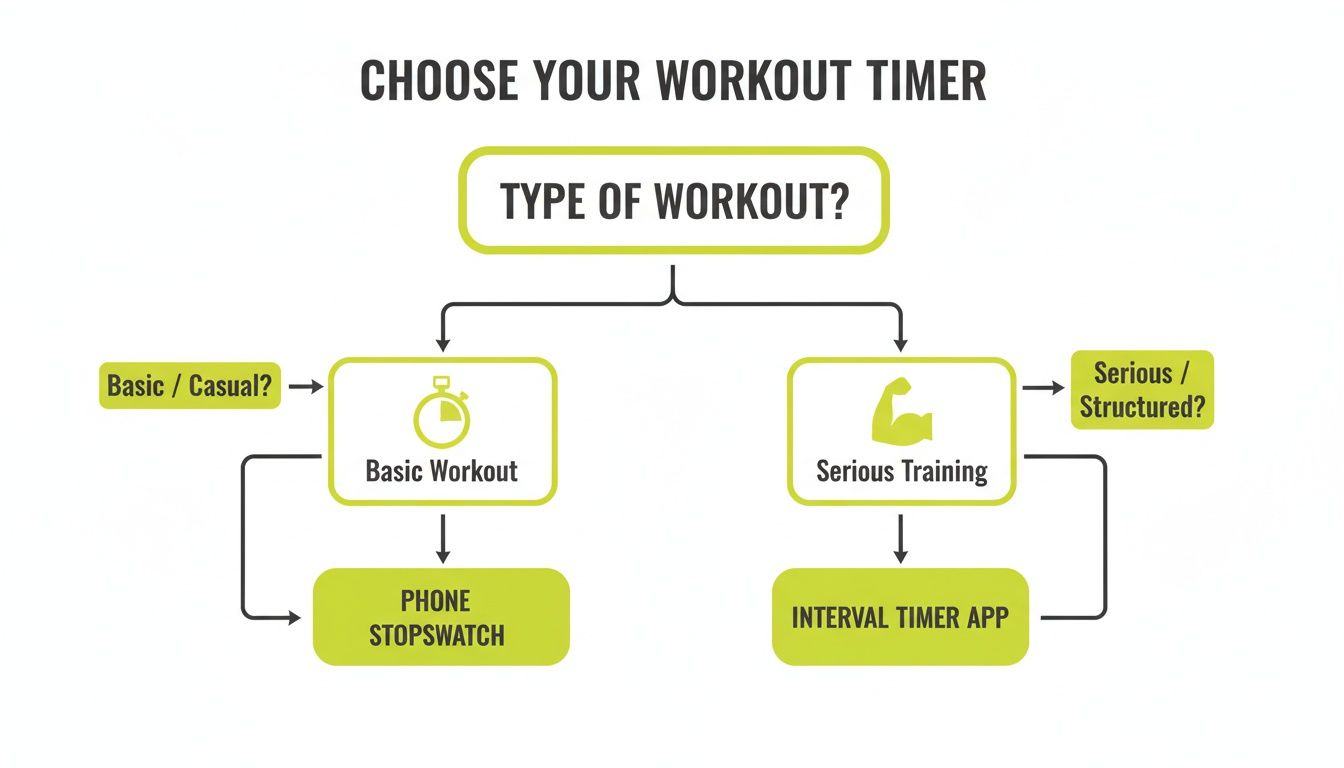
The takeaway is simple: for any training that involves timed intervals, a specialized app isn't just helpful—it's essential.
Quick Customization When You Need It
What if your coach programs something a little different, like a 30/30 split for cardio? A well-designed app lets you tweak the work and rest periods in seconds. You should be able to adjust the numbers with a quick tap, save it as "Cardio Day," and have it ready to go for next time.
This initial ease of use is a huge sign that the app was built by people who actually train.
The whole point of a quick-start feature is to eliminate hesitation. The less brainpower you waste on settings, the more you have for that last rep.
This is where you can feel the difference between a frustrating app and a truly great one. An app like the KNTC Interval Timer is built on this very idea. It's designed to get you from launching the app to sweating in your first interval in just a couple of taps.
Build and Save Your Own Custom Workout Timers
While presets are great for getting started right away, the real magic of a solid free interval timer app happens when you start building your own. This is where you perfectly mold the app to your training plan, freeing up precious mental energy for what actually matters—the workout itself.
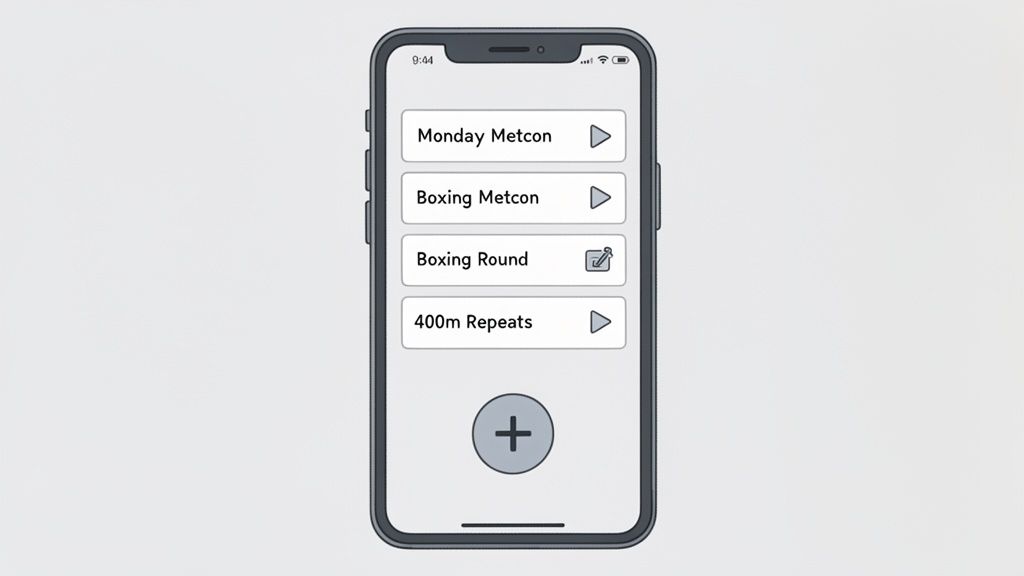
This is a non-negotiable feature for anyone following a structured program. I'm talking about CrossFitters programming a beastly WOD, boxers setting up their classic 3-minute rounds, or runners dialing in their 400-meter repeats. Custom timers transform these complex, multi-part workouts into a simple, one-tap launch.
Crafting a Timer for a CrossFit WOD
Let's break down a real-world example. Say your workout is a brutal 15-minute AMRAP (As Many Rounds As Possible), followed immediately by a 3-minute rest, and then straight into 5 rounds of a couplet with 1-minute rest between each. Trying to track that with a standard stopwatch is a recipe for disaster.
Instead, you can build it piece by piece in the app:
- Part 1: Set a single 15-minute work interval.
- Part 2: Add a 3-minute rest interval right after.
- Part 3: Create a repeating block: 1-minute of work followed by 1-minute of rest, and set it to repeat 5 times.
Once you’ve built it, just save the whole thing as "Monday Metcon." The next time that workout comes up, you just hit start and go. No more glancing at the clock—just pure, focused effort.
Setting Up a Classic Boxing Circuit
For any boxer or MMA fighter, training has to simulate the intensity and rhythm of a real fight. A standard session might be five hard 3-minute rounds, each separated by a crucial 60-second rest period.
Building this preset is incredibly simple:
- Set the Work Interval: Punch in 3:00 for your active round.
- Set the Rest Interval: Then, input 1:00 for your recovery.
- Define the Rounds: Set the total number of rounds to 5.
Save it as "Boxing Rounds," and you're done. Now, every sparring or bag session has a perfectly structured timer that mimics a bout, giving you clear audio cues so you know exactly when to work and when to recover.
The whole point is to offload the mental admin to your phone. When you're completely gassed, the last thing you want to do is try to remember what round it is or how much rest you have left. Let the app be your cornerman so you can focus on technique.
It's no surprise that apps with this level of precision are exploding in popularity, especially in disciplines like CrossFit and combat sports. The overall fitness app market is on a wild growth trajectory, projected to climb from $12.12 billion in 2025 to over $33.58 billion by 2033. You can read more about what’s driving this growth over at Athletech News.
Programming for Endurance and Track Workouts
Running workouts, particularly on the track, live and die by precise timing. Let’s imagine you're doing 400-meter repeats. The goal is a 90-second lap followed by a 2-minute recovery jog, and you need to do it six times.
In your timer app, you'd just set up a repeating interval: a work period of 1:30 and a rest period of 2:00, set to repeat for 6 rounds. Name it "400m Repeats," and it's ready to go for every single track day. This kind of precision is what ensures you’re hitting the right intensity and recovery zones every time.
For more ideas on how to structure your training timers, take a look at our other posts over on the KNTC blog.
Fine-Tune Your Audio Cues and Visuals
Alright, you’ve got a few custom timers saved. Now for the fun part: making the app work perfectly for you and your workout space. A timer is pretty useless if you can’t hear the beeps over your "beast mode" playlist or see the screen when you're gasping for air across the room.
This isn’t just about making it look or sound cool; it’s about making your workout seamless. The right feedback lets you focus entirely on your form and effort, never having to break your concentration to check the clock.
Dialing in Your Audio Cues
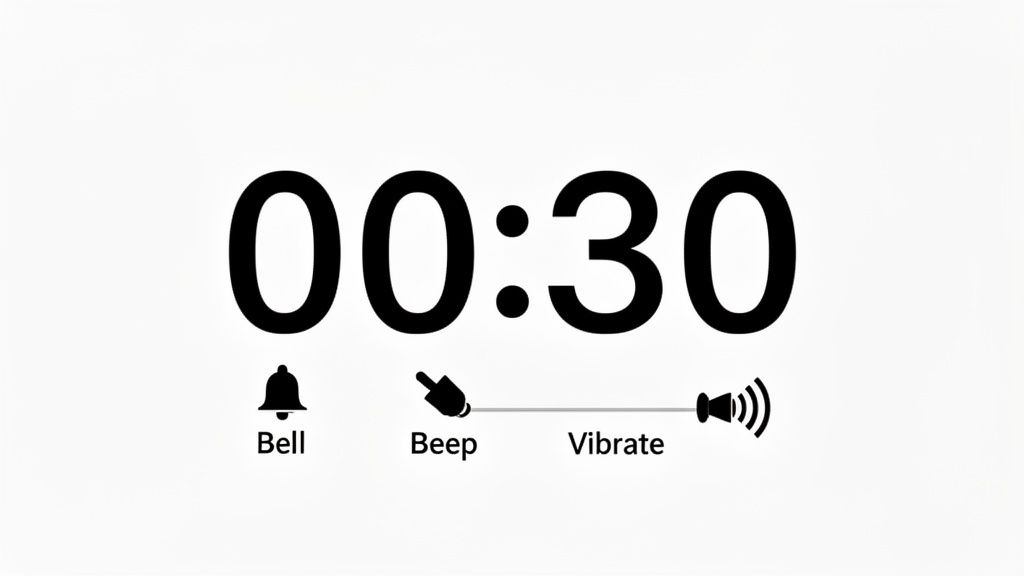
Let's be real: gyms are loud. Between the clanging weights, music blasting, and that one guy grunting in the corner, a wimpy timer alert just won't cut it. That's why customizable sound isn't just a nice-to-have, it's a must-have.
Look for an app that gives you some solid sound options. For instance:
- A sharp, high-pitched beep: This is my go-to for CrossFit or any high-intensity stuff because it slices right through the chaos.
- A classic boxing bell: There’s a reason it’s an icon. It’s an unmistakable signal to start or end a round, perfect for bag work or sparring drills.
- Coach voice countdowns: Honestly, hearing a voice yell "3, 2, 1, GO!" can give you that extra little push and a mental heads-up that it's time to work.
Even better than the sound itself is having independent volume control. You want to be able to crank the timer alerts up loud while keeping your music at a level that won't blow your eardrums. The goal is to hear the cues over the music, not have to sacrifice one for the other.
Go Screen-Free with Haptic Feedback
For runners, cyclists, or anyone who can’t be glued to their phone, haptic feedback is a total game-changer. These are the vibrations your phone makes, and a good free interval timer app will let you customize them. Instead of a generic buzz, you can assign different vibration patterns to different parts of your workout.
Picture this: you're on the track doing 800-meter repeats. You could set a long, steady vibration to signal the start of your sprint and a series of quick, sharp pulses to tell you it's time for your recovery jog. Your phone stays in your pocket or armband, and you know exactly what phase you're in without ever breaking your stride.
Pro Tip: Haptic feedback is the ultimate tool for staying in the zone. By relying on touch instead of sight or sound, you can maintain focus on your breathing, pace, and surroundings with zero distraction.
Optimize Your Visuals for Clarity Under Fatigue
When you’re deep in the pain cave during that final round, the absolute last thing you want is to squint at tiny numbers. Visual clarity is non-negotiable, especially when you need to see the clock from a distance.
Here’s what I always look for in an app's display settings:
- Massive Digits: The numbers should take up nearly the whole screen. No exceptions. They need to be instantly readable from across your garage gym.
- High-Contrast Mode: A simple black background with bright white or yellow text is king. It’s easy on the eyes and offers the best visibility in any light.
- Landscape Orientation: Being able to turn your phone sideways to make the display even wider is a huge plus for at-a-glance readability.
Getting these sensory details dialed in makes a world of difference. It turns your timer into a reliable partner that helps you execute your training plan perfectly.
Track Your Progress and Stay Motivated
You've got your timers dialed in and ready to go. So, what’s next? Making sure you actually use them. In fitness, consistency is everything, and a good free interval timer app can be the accountability partner you didn't know you needed. It turns simple data into a powerful source of motivation.
The secret is to focus on what matters and completely ignore the noise. You don't need complicated spreadsheets or to get lost in deep-dive analytics. The point isn’t to become a data scientist; it’s about creating a simple, positive feedback loop that makes you want to show up again tomorrow.
Focus on Simplicity to Build Momentum
I've found that the most effective tracking features are almost always the simplest. They just give you that quick, at-a-glance confirmation of your hard work, which helps lock in the habit of training. Instead of getting bogged down in performance metrics, look for these basic stats in your app.
These are the numbers that really build momentum:
- Total Time Trained: There's something incredibly satisfying about watching this number climb. Going from 10 hours to 50 hours is a tangible, visual reminder of all the effort you've put in.
- Workout Streak: Nothing builds a habit quite like not wanting to break a chain. A simple streak counter can be the little push you need to get a session in, especially on those low-motivation days.
- Activity Calendar: Seeing a calendar fill up with color on the days you train gives you a quick, satisfying snapshot of your dedication over a month.
This whole approach isn't about judging how "good" each workout was. It’s about celebrating the simple act of showing up. Every completed session is a small victory, and seeing those wins add up is what turns your training from a chore into a core part of who you are.
Your timer app should be more than just a clock; it should be a record of your commitment. Checking your streak or total time trained reinforces the positive behavior of starting a workout, making it easier to do it again.
How Tracking Reinforces Good Habits
This method works because it plugs directly into basic behavioral psychology. When you see your streak hit 10 days straight or your total training time cross a new milestone, your brain gets a little hit of dopamine. That reward makes you more likely to repeat the action that earned it—in this case, firing up your timer and getting to work.
Let’s put it in a real-world context. Imagine you’re a boxer who trains three times a week. After a month, you can pull up your activity calendar and see 12 completed sessions staring back at you. That visual proof of consistency is way more motivating than just vaguely remembering you "worked out a bunch."
Or think about a runner building an endurance base. Watching the "Total Minutes Trained" tick upward every week provides concrete evidence that the hard work is compounding, even on days when progress feels slow or invisible.
This simple act of glancing at your stats transforms the app from a passive tool into an active partner in your training. It doesn't need to be complex. The goal is just to create a visual log of your dedication, giving you the fuel you need to stay in the game for the long haul.
Got Questions? We've Got Answers
Even with the most straightforward tools, a few questions always pop up. When it comes to interval timer apps, I hear the same ones all the time. Let's tackle them head-on so you can get back to what matters: your workout.
Can I Play Spotify While the Timer Is Running?
Yes! And honestly, if an app couldn't do this, it wouldn't be worth your time. A solid interval timer is built to run seamlessly in the background.
Just start your workout in the app, then hop over to Spotify, Apple Music, or whatever you use for podcasts and music. The timer’s beeps and voice cues will cut right through the audio when it’s time to switch intervals, so you won't miss a beat—literally. It’s a must-have feature for staying in the zone.
What’s the Real Difference Between Tabata and HIIT?
This is a great question and a super common point of confusion. The simplest way to break it down is this: Tabata is one specific, intense recipe for HIIT.
HIIT (High-Intensity Interval Training) is the big-picture concept. It’s any workout that alternates between intense bursts of effort and short periods of rest. Think 45 seconds of burpees, 15 seconds of rest. That's HIIT.
Tabata is a very precise protocol: 8 rounds of 20 seconds of maximum effort followed immediately by 10 seconds of rest. The whole thing is over in exactly 4 minutes.
So, every Tabata workout is a HIIT workout, but not all HIIT is Tabata.
Think of it like this: HIIT is the category, like "soup." Tabata is a very specific kind, like "miso soup." Both are great, but one follows a much stricter formula.
Is a Free App Actually Good Enough for Serious Training?
For almost everyone—from casual gym-goers to competitive athletes—a well-made free timer is absolutely all you need. The best free apps are laser-focused on getting the core functions perfect: dead-on timing, loud audio cues, easy presets, and the ability to run behind your music.
Of course, your privacy is also a huge part of that. We take that seriously, and you can see exactly how we handle data in the KNTC privacy policy.
Paid apps might dangle shiny extras like cloud storage or in-depth analytics, but those are bonuses, not essentials. They won’t make or break your ability to crush a workout. Find a killer free app first—chances are, it’s all the tool you'll ever need.
Ready to stop wrestling with your phone’s clunky stopwatch? Download the KNTC interval timer for free and see just how smooth a workout can feel. Head over to https://www.kntctimer.com to get started.